



Spheriq Lists
Research leads to selection.
Save relevant organizations from your search to lists, collaborate on them as a team, and prioritize what matters—from the initial research to the final selection.
Straight from the search results
Go from the search results to the list with a single click. Create an unlimited number of lists starting at the Starter level.
Working Together
Share, comment on, tag, and vote on lists—as a team, rather than in scattered spreadsheets.
Custom Structure
Custom fields, table view, sorting, and filtering—tailored to your process. (Pro and above)
Smart Suggestions
Spheriq AI suggests relevant organizations and keeps the lists up to date. (Pro and above)
Functions
From the Search to the Final Selection
01 — COLLECTING
Save organizations in lists
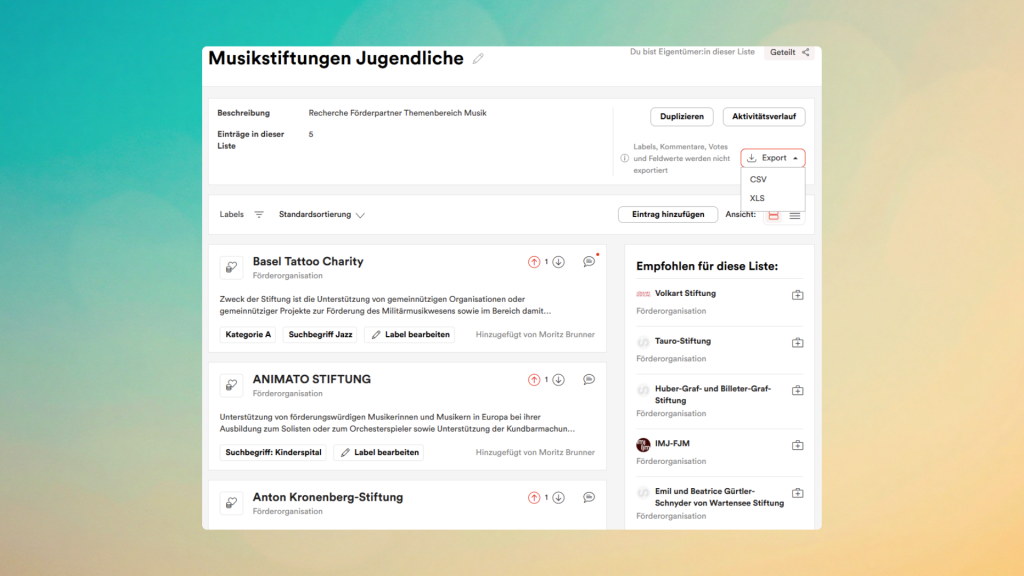
Compile lists of relevant foundations and organizations, name and describe your lists. Keep them private or share them with your team—and export them as .xls or .csv files at any time.
02 — Collaboration
Working on Lists Together
Assign roles for shared lists—moderator, contributor, or viewer. Tag and filter organizations, comment on individual entries, and use voting to prioritize what’s most relevant.

03 — Structure (Pro and above)
Lists Based on Your Rules
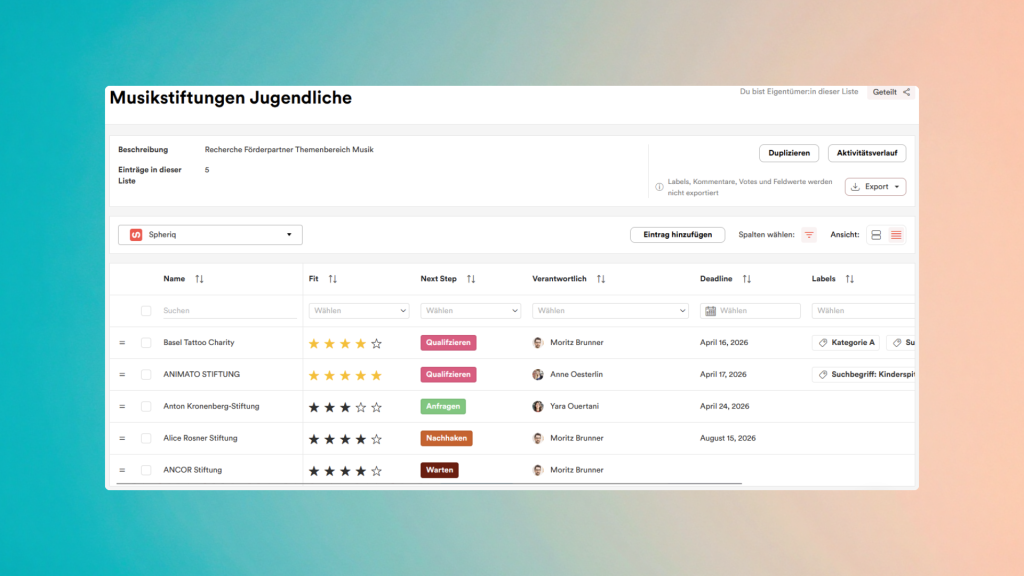
Switch to the table view, add your own fields, and sort or filter according to your criteria. Calculate the Fit and Hope values for each entry, edit multiple organizations at once, and open the detail view directly from the table.
04 — Intelligence (Pro and above)
Lists That Think for Themselves
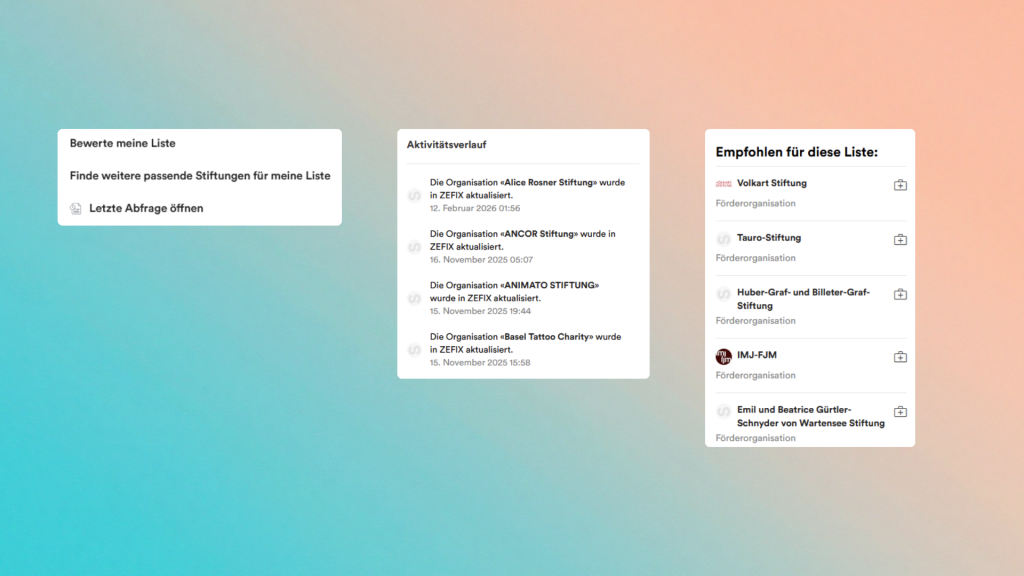
The Activity Feed notifies you of updates to organizations. Get automatic suggestions for relevant organizations, subscribe to public, expert-curated lists, and let Spheriq AI do the research for you.
You can use the classic list feature starting from the Starter level.
Use Cases
For All Aspects of Philanthropy
Grant research that doesn’t fall through.
Compile a list of suitable grant giving foundations from your search results, prioritize them based on their fit, and work on them together as a fundraising team—instead of losing track of results scattered across various Excel files.
Keeping an eye on the portfolio and applicants.
Organize funded and prospective organizations into structured lists with custom fields—and keep track of your entire portfolio through the activity history.
Curate and share knowledge.
Create topic-based lists, keep them up to date, and share your expertise as a public list—accessible to all Pro users.
Why Spheriq Is the Right Choice
Unlock the power of search
Smart Lists, Spheriq AI, and custom fields are available starting with the Pro plan.
Foundation Fundraising with Spheriq
From Research to Application
Discover all the functions of Spheriq and the scope of services per feature and level.
Frequently asked questions
- Register at Starter level or higher.
- Click on “Lists” in the menu on the left and then on “Create list”.
- Enter a name for the list as well as a description and then click on “Create”.
Pro access gives you unlimited access to the public and smart lists.
An organization can be saved in a list in two ways:
1. Directly in the search results by clicking on the folder icon.
2. On the organization portrait by clicking on the “Add to list” button.
As part of our “Fundraising as a Service” offer, we will be happy to assist you with your research. We create individual lists for you and will be happy to advise you. Contact us without obligation: support@stiftungschweiz.ch
Public lists, which we update regularly, are available with a Pro subscription. Subscribe to public lists to stay up to date.
The public lists, which are curated and regularly updated by experts, are available from the Pro level upwards. You can view the lists and follow them to make sure you don’t miss anything.