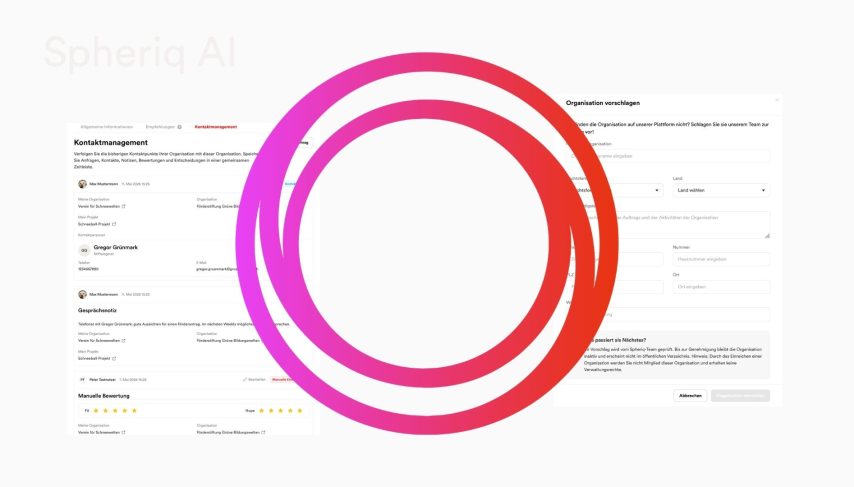


With our new Deep Shape release, we’re back from the summer break feeling stronger and fully recharged, ready to give you that extra boost for the final third of the year—a crucial period for fundraising and scouting! A smarter search function, faster AI tools, clearer profiles, and enhanced contact management are just a few of the improvements Spheriq has introduced since August 26 to better support you in your day-to-day fundraising efforts. And there’s news from SpendenSchweiz, too: a significantly streamlined donation form and the new donation shop make it easier than ever for your donors to support you with just one click. In short: Deep Shape is your tailwind for a strong fall.
New to our database: Foundations from Liechtenstein
Spheriq continues to grow: With this latest release, foundations from Liechtenstein are being added to our database for the first time. You can now find them directly via the search function and include them in your research, lists, and grantmaking processes. This makes Spheriq an even more comprehensive research tool for Swiss nonprofits, because foundation research shouldn’t stop at the national border. You can find out more about Liechtenstein here.
Enhanced Search: Filters, Sorting, and a Clearer Overview of Results
The search function has been expanded and improved in several ways. You can now use advanced search operators to further refine your search results—for example, by excluding certain keywords or searching for exact phrases. A new search filter for badges allows you to narrow down the results even further, for example, to organizations that are actively managed. A new project status filter has also been added, allowing you to filter search results specifically by a project’s status—in progress or completed.
The search results overview has also been enhanced with additional information. New features include organization badges, Fit & Hope scores, and labels, which are now visible directly in the results without having to open a profile. For projects, the status is also prominently displayed on the map. You can also sort the search results directly by Fit or Hope to display the most relevant results at the top.
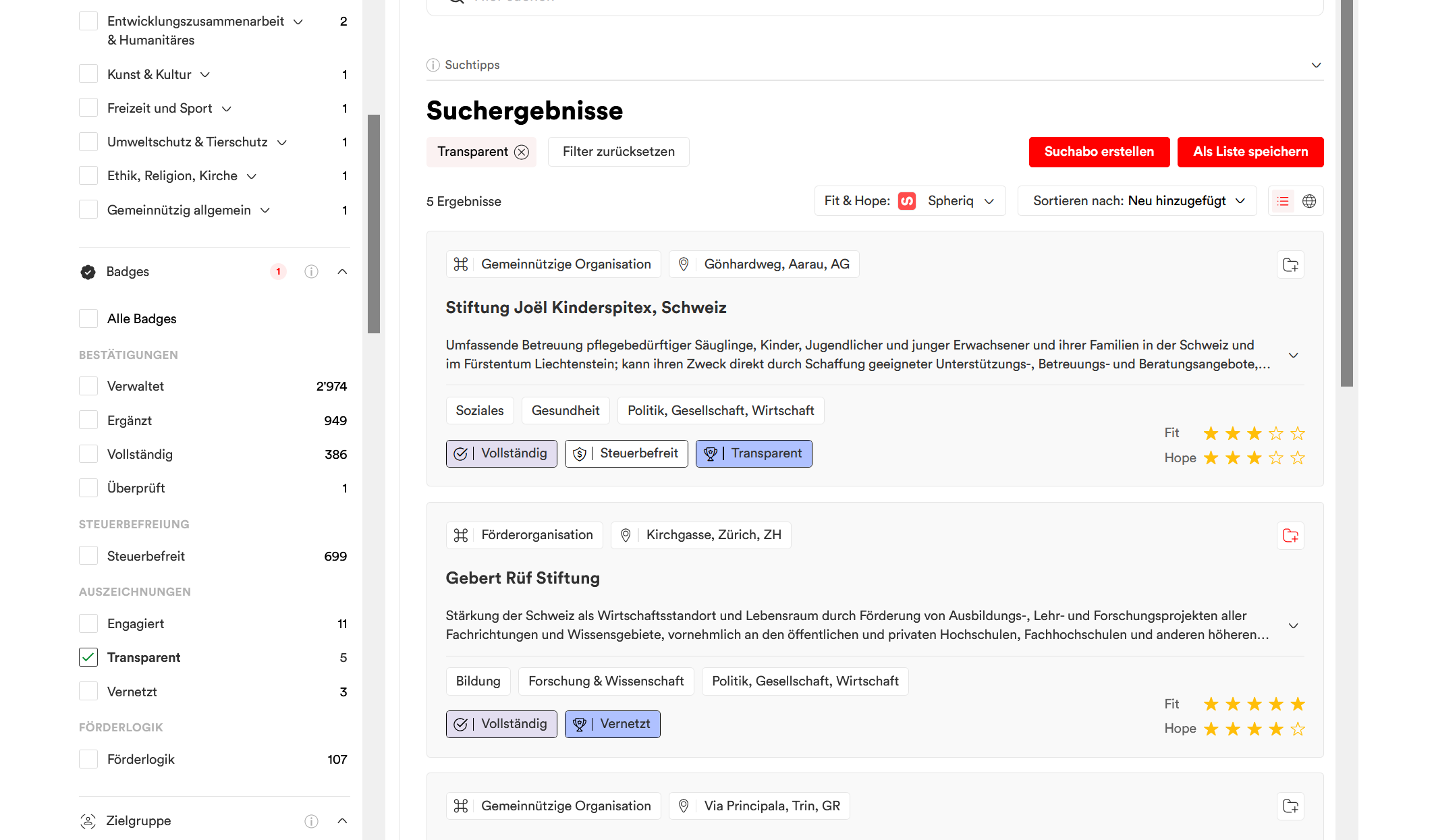
Save search results directly as a list
With “Save as List,” you can save your current search results directly as a private list. If there are a large number of results, up to 500 hits will be included. The existing “Search Alert” feature remains available as before.
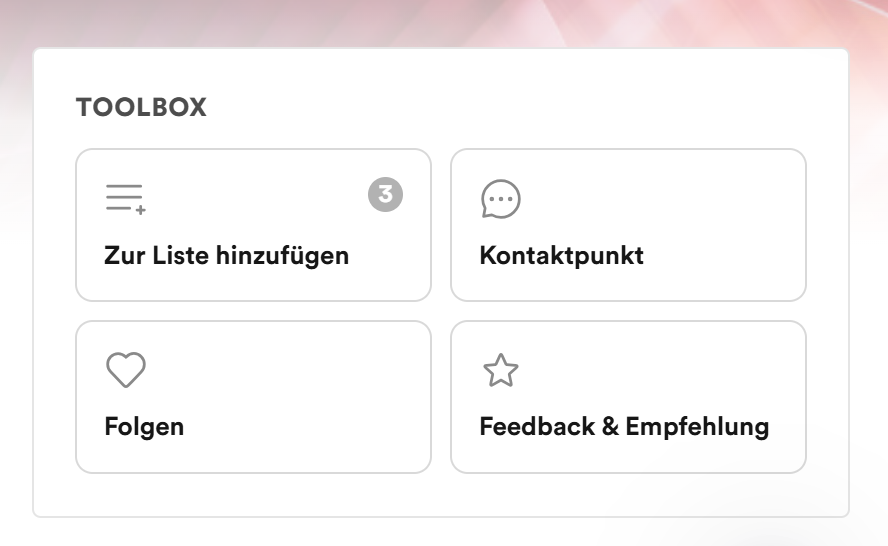
New Toolbox in Profile
The new Toolbox replaces all previous separate sidebar buttons and consolidates important actions in one central location. As the first element in the sidebar, it creates more visual order and makes frequently used features easier to find. Whether you want to add an organization to a list, create a contact point or a note, follow an organization (and receive updates about it), or submit feedback or a recommendation: These options are now conveniently grouped together in the toolbox.
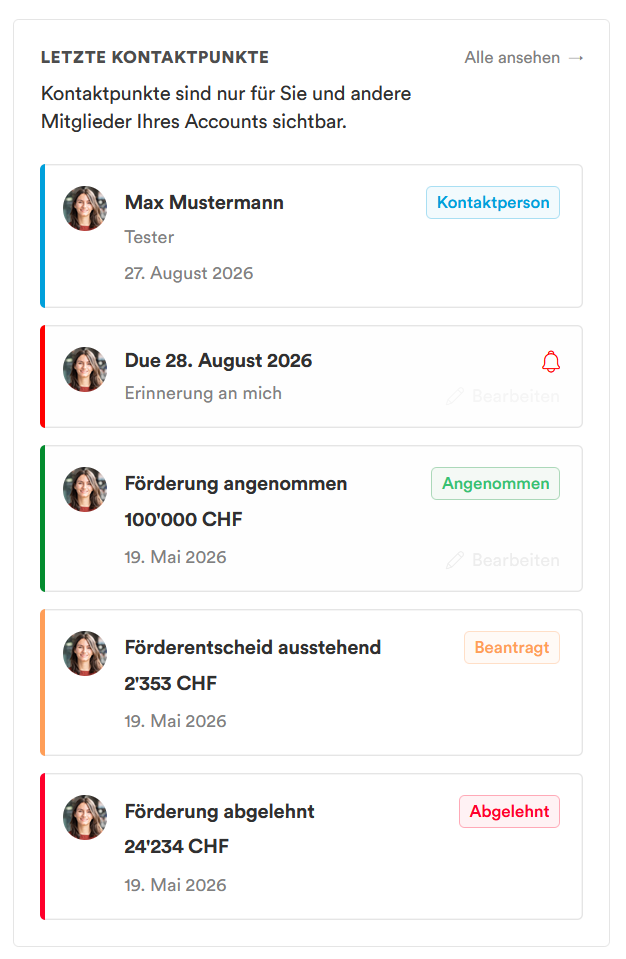
Contact Management: New Entry Type—Reminder
Contact management has been enhanced with a practical and essential CRM feature: the new “Reminder” entry type. You can create reminders directly for external organizations, which will then appear in the contact management overview. These reminders are private and visible only to members of your organization (team members). On the selected date, an email notification is automatically triggered—either just to you as the creator or to your entire team. This ensures that important tasks and contact moments aren’t forgotten and that your team is always up to date.
Application and Grant Management: New Features for More Efficient Processes
Several important changes have been introduced in the area of application and grant management. Applicants can now create a new project directly on the “guided landing page” without having to leave the process and switch to the project area. In addition, a separate process has been introduced for affiliates —such as students or researchers at universities—that allows them to submit applications without needing editing rights for the organization’s profile.
The AI Eligibility Check has been expanded into the Concierge and now incorporates additional information sources into the preliminary review: uploaded documents, external web searches, and a search of the organization’s own application archive. This allows previous applications from the same organization, media coverage, or scientific publications to be automatically incorporated into the assessment. The Concierge now also generates a configurable AI report in Markdown format, which is displayed in a separate tab in the application details view and included in the export. All analyses are performed automatically upon receipt of an application, so that the recommendation and report are already available when the application is opened. These additional new features are included starting with the Partner Plus subscription tier and require booking a setup workshop. You can find more information about the Concierge here.
Donation Shop: Configure and Showcase Custom Donation Products
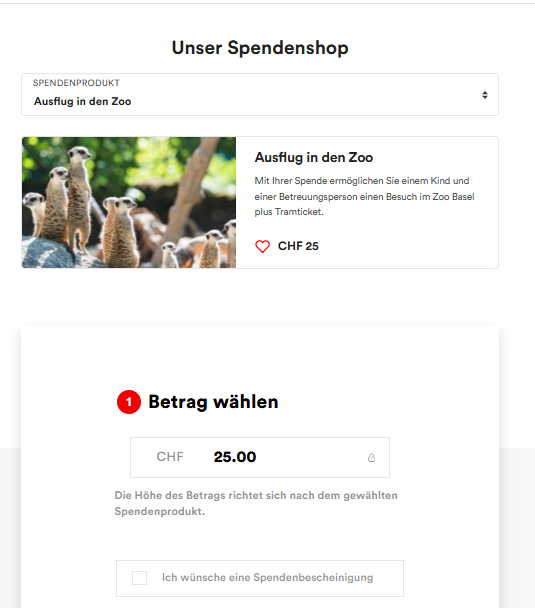
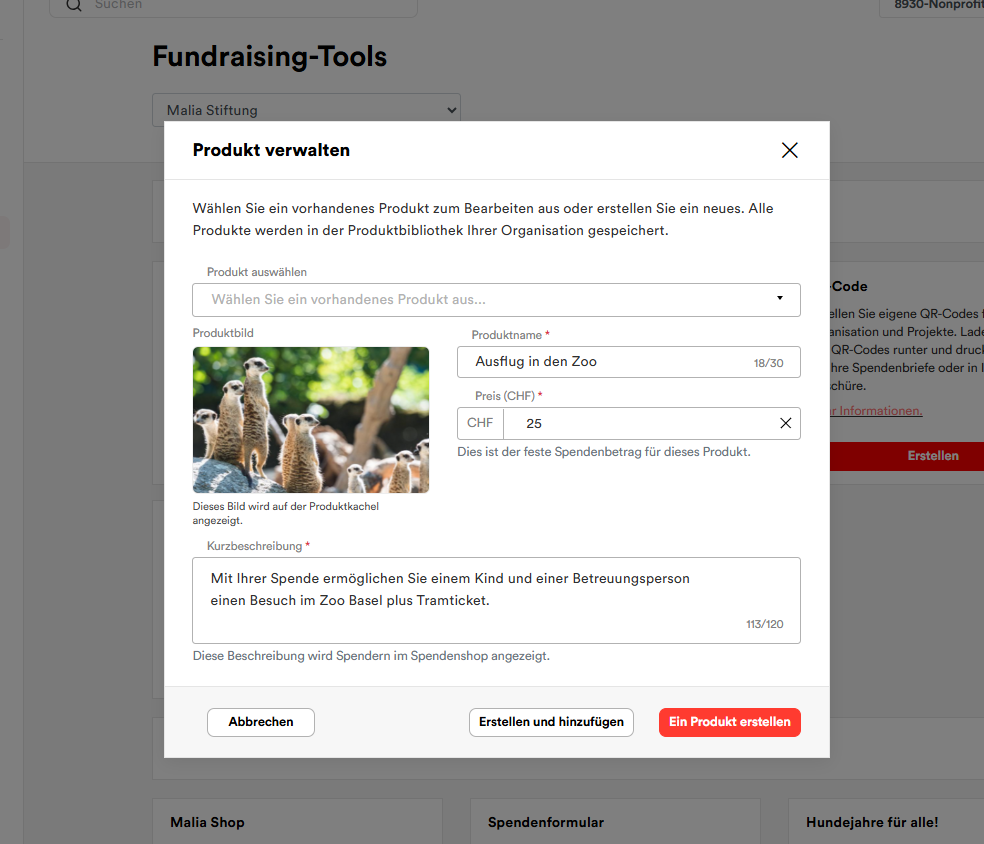
The new donation shop provides Pro and partner organizations with a powerful tool for their public fundraising efforts. They can configure custom donation products with a fixed amount in CHF and integrate them directly into their own website as a donation shop. When a donor clicks on a product, the existing donation form opens with the corresponding product already preselected. This allows the donation offerings to be tailored specifically to particular projects and needs and presented in an appealing way.
Optimized Donation Form for a Better Donor Experience
The donation form has been improved in two areas. On mobile devices, the donation button on profile and project pages now appears directly below the header image, organization name, and call to donate, which significantly increases its visibility and shortens the path to making a donation. Furthermore, the donation form itself has been significantly simplified: Some required fields have been removed, while others now appear only when, for example, a donation receipt is requested. This makes the donation process more streamlined and intuitive without sacrificing any functionality.
Conclusion
At Spheriq, we know that the challenges in the sector aren’t getting any smaller. Many organizations often face major tasks, especially in the second half of the year. This makes it all the more important that you receive increasingly better and more effective support from powerful tools. With Deep Shape, we’ve focused precisely on this and brought these tools to life. Well-equipped, highly motivated, and riding the momentum of a strong release, we wish you a successful fall!